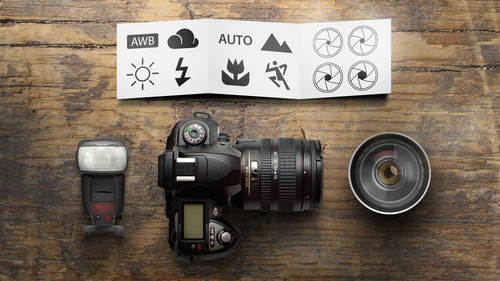
Hey, it’s nikko again, I’m the media & tech guy here at creativeLIVE, in for another creativeLIVE tech blog. We do a lot of tethering with our photo workshops and most of the time we don’t want to have a computer on set to clutter things up. Getting rid of clutter is a great idea, but often this means putting the computer 50′ off set if not further! During our recentWedding Photography Weekend workshop with Zach and Jody Gray our computers were on the first floor while shooting was taking place on the second floor and even outside; at times this was a cable run of 96 feet! Sure, you could get a Wireless File Transmitter for your camera and set it up to work with your wireless network, but that would set you back $700 and would only work with one specific camera. What I’m about to share with you is a $40 – $80 solution for tethering any camera 32′ – 64′ away from your computer.
I’ve posted about tethering in Lightroom 3.5 in the past and that was all software based. Today we’re getting down and dirty and going all hardware based. To get started there are three essential pieces that you need to know about.
There are a lot of USB extension cables out there that you could chain together to reach say 50′, but unless you’re using a booster extension cable like this one by Iogear, you probably won’t get USB 2.0 speeds. Iogear says you can daisy chain these cables to reach a USB device up to 75′ away, but if you’re crafty you can probably go a little further to reach 96′. I’ll admit, in most wired tethered shooting scenarios you’re going to be within 60′ or even 30′ of your computer so just one or two boosters will work, but come on – 96 feet! In practice I’ve ran into very few speed issues with long USB cable runs at or under 80′ though at lengths of 96′ and longer there is a slight delay.
2: 16′ USB Cable
The next piece of the puzzle is the cable that goes from the extenders to the camera. What you’re looking for here is a 16′ USB 2.0 Male A to Male Mini B cable. They typically go for around $30 online and they’ll last you if you treat them well. Moral of the story here is look for a quality cable that isn’t more than you need (like a $70 super durable high flex gold cable) and isn’t a cheep and thin it’ll-do-for-now cable.
3: Jerk Stopper

This one is optional, but I highly recommend it. Tether Tools makes this handy little device that saves your camera from having the USB cable ripped or torn out of your USB port on your camera. You could also use this for your HDMI cables running out of your camera like we did during our Glamour Photography workshop with Sue Bryce.

And that’s it! Everything you need to know for a simple and effective solution for tethered shooting 32′ – 64′ from your computer. If you want to dig further into the world of Studio Tethering I totally recommend checking out Tether Tools at http://www.tethertools.com/.