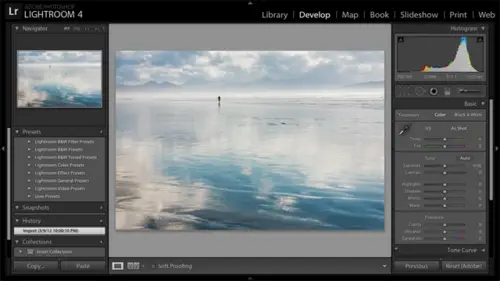
Lightroom® 4 Fundamentals
Laura Shoe
Lessons
Day 1
1Pre-Show Banter
07:02 29:00 am - Introduction: Why Lightroom®?
13:23 3The Lightroom Library Catalog
16:42 4Staying Organized
15:00 5Backing Up Your Library
11:12 6Importing Your Photos
34:20 7Preferences & Settings
28:57Settings Q&A
10:49 9Reorganizing Files and Folders
33:25 10Using Views and Labels to Evaluate Photos
45:00 11Filtering and Stacking Photos
13:37 12Assigning and Managing Keywords
31:42 13Keywording Q&A
12:43 14The Metadata Panel
14:38 15Searching for Photos
20:54 16Creating a Collection
15:25Day 2
17Day 2 Pre-Show Banter
09:09 18The Map Module: Assigning Locations
43:33 19The Develop Module
11:37 20Fixing Your Photos: Histograms and Cropping
22:02 21Fixing Your Photos: Spot Removal Tool
33:25 2211:30 am - Upgrading to Lightroom® 4
12:14 2311:45 am - Basic Developing in Lightroom® 3 & 4
21:29 24Basic Developing Part 2
19:43 25Color Adjustments
23:36 26Tone Curve Panel
18:59 27Making Subtle Adjustments
13:22 28Lens Corrections
10:54 29Local Adjustments: Partial B&W
13:03 30Local Adjustments: Portrait Touch Up
26:05 31Additional Local Adjustments
09:55 32Graduated Filter
24:24 33Bonus: Day 3 Preview
01:19Day 3
34Day 3 Pre-Show Banter
12:44 35Bonus: Recap of the Develop Module
08:44 36Virtual Copies
08:58 37B&W and Creative Effects
20:50 38Noise Reduction
12:23 39Sharpening
18:33 40Sharpening for Portraits
08:46 41Syncing Changes to Multiple Photos
17:53 42Autosync
21:09 43Creating and Using Presets
15:53 4411:45 am - Lightroom® and Photoshop
22:49 45Sharing Your Work
08:42 46Exporting for Web
16:59 47Exporting for Print
26:06 48Workflow Recap
40:50 49Thanks + Credits
07:02 503:00 pm - Lightroom® 4: Publishing
20:52 513:30 pm - Lightroom® 4: Video Editing
12:38 523:45 pm - Lightroom® 4: Book Module
19:36Class Description
Learn the fundamentals of Adobe® Lightroom® in three days. This workshop concentrates on the Library, Map and Develop modules where you organize, edit, and fix and enhance your photos and videos. Learn how to import and organize your photos and videos; evaluate and assign keywords, map location and other information to them; find them, and fix and enhance them. Learn how to work more efficiently by working on multiple photos at once and using presets. Learn how to create jpeg and other copies of your photos to share with others, how to email directly from Lightroom®, and how to upload photos directly to Facebook and other services. Finally, get an overview of all that is new in Lightroom® 4.
Class Materials
bonus material with purchase
bonus material with enrollment
Ratings and Reviews
Miguel Lecuyer
Great workshop! New to Lightroom and found it very helpful. Saved me a couple hundred dollars and time by not taking an evening LR class. Creative Live workshops match my learning style perfectly. Laura is awesome! My only complaint is maybe Laura can use a PC next time which is what she seems more comfortable using. Her shortcut mix-ups on a Mac were making me a bit dizzy :)
a Creativelive Student
I cannot express enough how impressed I was with Laura and this class. I learned more in the 3 days of this workshop than I did in all 6 weeks of a class I took online that cost three times as much. I left not only impressed by the class but MOST importantly - refreshed and energized to put my new knowledge to use! Thank you for that!!!
a Creativelive Student
Excellent workshop bar none. I learned more about Lightroom than I did from any other tutorial/workshp that I previously encountered. Thanks Laura!