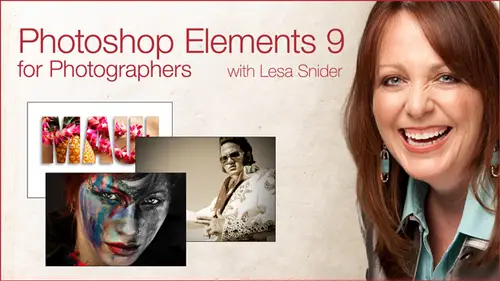
Photoshop Elements® 9
Lesa Snider
Lessons
Day 1
1Introduction
16:10 2Intro to Elements Workspace
15:32 3Guided Edit Mode
39:35 4Quick Edit Mode
19:26 5Full Edit Mode: Layers and Masks
1:03:29 6Smart Brushes pt 1
17:30 7Smart Brushes pt 2
31:27Portrait Makeover with Detail Smart Brush
37:39 9Retouching Techniques
39:53 10Recompose Tool
12:27 11Gorgeous Grayscales
36:32Day 2
12Gorgeous Grayscales Continued
55:54 13Quick Color Tints
09:15 14Adding a Vignette
07:05 15Correcting Color and Lighting
49:07 16Fixing a Stubborn Color Cast
15:36 17Lightening Wrinkles and Shadows
18:47 18Selective Softening & Sharpening
25:47 19Placing Text Behind an Image
30:48 20Pushing a Photo Through Text and Other Shapes
41:18 21Blending Images Together
38:31 22Deleting Backgrounds with the Magic Extractor
27:51Class Description
In this class, you'll learn practical editing techniques you'll use every day with the affordable Adobe Photoshop Elements®. A fast-paced day lead by Lesa Snider, the fun, engaging best-selling author of Photoshop CS5: The Missing Manual. By the end of this class, you'll be able to turn the photos you have into the photos you need.
You'll learn how to move throughout the program and editing modes to suit your specific skill level. Discover how to easily perform basic edits such as fixing animal white-eye, mastering Levels for color correction and understanding resolution once and for all. You'll also learn how to retouch portraits using pro-level, non-destructive techniques. Glean the secrets to gorgeous black and whites, partial color effects, creative edges, collages, and more.Class Materials
bonus material with purchase
Ratings and Reviews
a Creativelive Student
Amazing class, Lisa is fun to listen to and she knows her stuff. She made the confusion over so many parts of PSE march in straight lines so I could understand.
John Carter
Because Lesa did such a good job showing off the new features in Elements 9, I just had to buy it. And here I thought I would be happy with Elements 8 forever. Thanks, Lesa.
a Creativelive Student
A very useful course. I enjoyed it and hope I get time to go through all of it again to cement everything in memory. Hopefully, it will stay available long enough for me to do it slowly. I've already been able to use some of what I learned in the first session, but there was so much! It will take awhile!