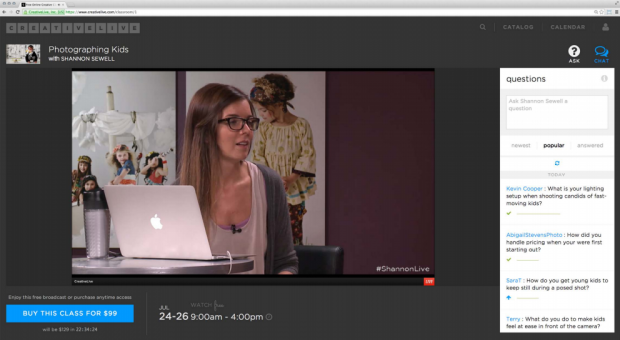
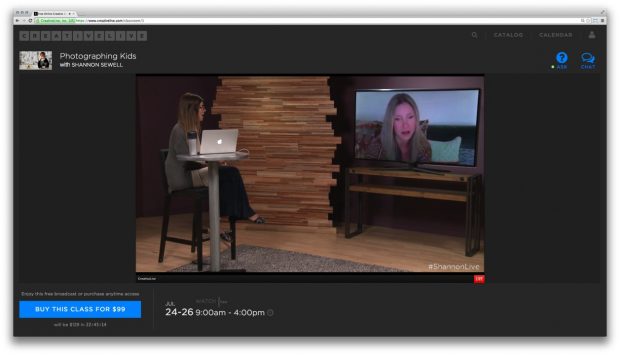
 We’re excited to announce the launch of our new questions feature and new live experience! Now, you can ask the instructor questions directly in the same screen as the live stream — no need to have a billion windows open while you learn. Our new questions feature lets you ask the instructor questions, see what other questions have already been answered earlier in the class, and vote on questions submitted by your classmates. Not to mention the new easy-on-the-eyes live watch page, which has been redesigned to include a video player that rescales with the size of your browswer window.
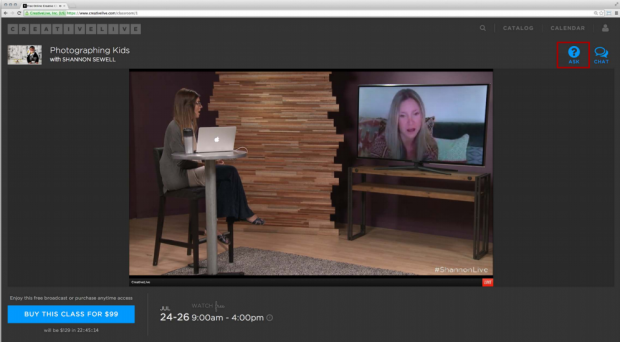
So, how do I ask a question?
All you have to do is log in! Then, as you are watching a live course, you’ll see a blue button and the word “ask” in the upper right-hand corner. Click on that to expand the questions feature, where you will see the box where you can enter your questions, as well as the live feed of questions asked by other users.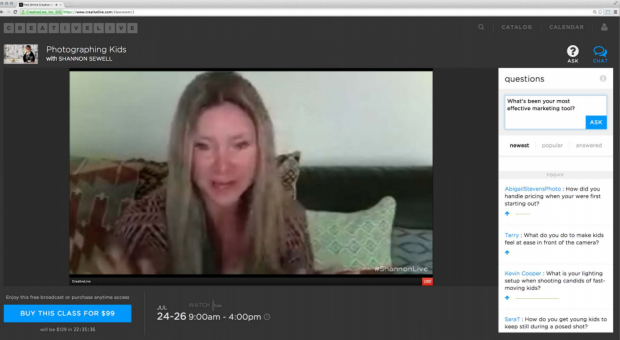
Do I have to register to ask a question?
In order to ask questions on CreativeLive, all you need to do is create a free CreativeLive account.
How do I up vote a question?
The up arrows under each question are there for this very reason! If you spot a question from another student that you’d also like the instructor to answer, click on the arrow and it will add your vote, turning the arrow into a green checkmark.