
[caption id="attachment_19610" align="alignnone" width="620"]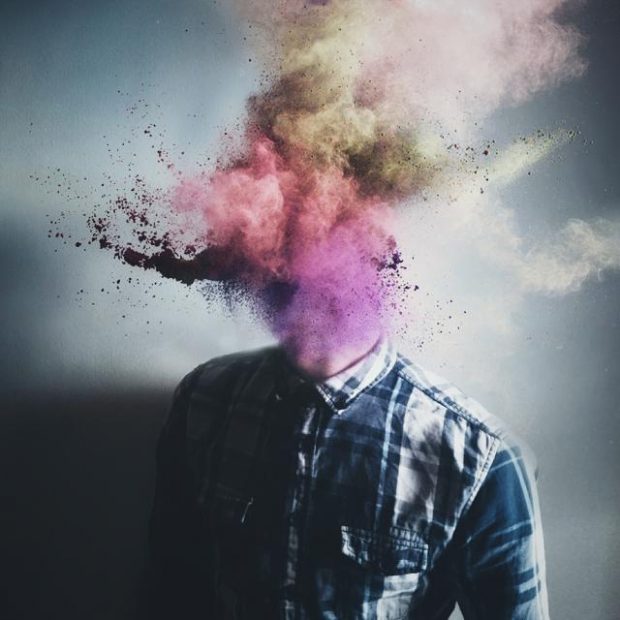 Photo: Hussam Eissa[/caption]
Technology has made it easy to create great photos and videos. Whether you’re using software to take better pictures or merely to edit after the fact, there are a number of solutions available that can take your work to the next level.
These solutions seemed to be a recurring theme throughout CreativeLive’s Photo Week 2015, with some of the most respected professionals in the business demonstrating their favorite apps. Here are a few of the best solutions that came out of these demonstrations.
PicsArt
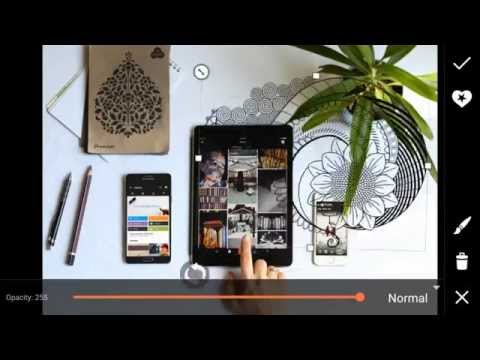
One of the biggest expenses for photographers is the editing software necessary to make great photos. PicsArt demonstrated its free image-editing software to CreativeLive attendees, showing how it can be used to turn a picture into artwork, make high-level photo edits, and share images easily across social media.
“Our community of 65 million users range from amateur photographers and hobbyist photo editors to professional painters,” PicsArt’s Carter Gibson says. “They help each other by giving feedback and offering their shots for use as a #freetoedit image. When people use the freetoedit hashtag, they’re inviting the rest of the community to take a piece of their art and make it their own.”
Photo: Hussam Eissa[/caption]
Technology has made it easy to create great photos and videos. Whether you’re using software to take better pictures or merely to edit after the fact, there are a number of solutions available that can take your work to the next level.
These solutions seemed to be a recurring theme throughout CreativeLive’s Photo Week 2015, with some of the most respected professionals in the business demonstrating their favorite apps. Here are a few of the best solutions that came out of these demonstrations.
PicsArt
One of the biggest expenses for photographers is the editing software necessary to make great photos. PicsArt demonstrated its free image-editing software to CreativeLive attendees, showing how it can be used to turn a picture into artwork, make high-level photo edits, and share images easily across social media.
“Our community of 65 million users range from amateur photographers and hobbyist photo editors to professional painters,” PicsArt’s Carter Gibson says. “They help each other by giving feedback and offering their shots for use as a #freetoedit image. When people use the freetoedit hashtag, they’re inviting the rest of the community to take a piece of their art and make it their own.”
 Play video
Animoto
Globally-recognized photographer Susan Roderick realizes the important role video will soon play in everything people do. With Animoto, a photographer doesn’t have to be a videographer to create great videos. The software lets a photographer combine great photos with music, text, and video clips. The end result is a video that tells a story through pictures.
“Video content is the number one marketing buzz phrase right now,” Susan said. “It is where the action is. YouTube is the second-largest search engine in the world after Google. When you’re in your Facebook feed, you see how many videos are playing. It’s important to get on the video wagon now.”
Play video
Animoto
Globally-recognized photographer Susan Roderick realizes the important role video will soon play in everything people do. With Animoto, a photographer doesn’t have to be a videographer to create great videos. The software lets a photographer combine great photos with music, text, and video clips. The end result is a video that tells a story through pictures.
“Video content is the number one marketing buzz phrase right now,” Susan said. “It is where the action is. YouTube is the second-largest search engine in the world after Google. When you’re in your Facebook feed, you see how many videos are playing. It’s important to get on the video wagon now.”
 Play video
Photogene
Award-winning photographer Julia Kelleher demonstrated her favorite app, Photogene, which is an advanced app for editing images. With Photogene, a photographer can make photo edits directly through their mobile devices. Photographers can easily browse, improve, and export multiple photos at once.
Procamera
Julia discovered Procamera just prior to the conference and declared it “awesome.” The app takes over the camera functions of a user’s phone, offering advanced photography tools that can’t be found in any other app. The app locks focus and tracks a photographer’s subject, as well as a photographer’s exposure. In manual mode, the photographer can adjust the camera’s ISO and shutter speed.
Other Apps
During the conference, Julia also mentioned a number of fun apps for attendees to check out, including:
Hipstamatic—Control your lens, flash, and film type with a swipe of your finger.
Rhonna Designs—Add sayings and fun pictures on top of images.
Snapseed—Free professional photo-editing app.
Pic-Tap-Go—Add custom filters and layers directly on your smartphone.
Wood Camera—Give your photos a vintage look.
Camera+—Helps photographers take the perfect photo using a smartphone or tablet.
Mextures—Apply textures on top of your images.
After Focus—Allows you to add bokeh to your images.
Tiltshift Generator—Create a blurred background lookout a tilt-shift lens.
Play video
Photogene
Award-winning photographer Julia Kelleher demonstrated her favorite app, Photogene, which is an advanced app for editing images. With Photogene, a photographer can make photo edits directly through their mobile devices. Photographers can easily browse, improve, and export multiple photos at once.
Procamera
Julia discovered Procamera just prior to the conference and declared it “awesome.” The app takes over the camera functions of a user’s phone, offering advanced photography tools that can’t be found in any other app. The app locks focus and tracks a photographer’s subject, as well as a photographer’s exposure. In manual mode, the photographer can adjust the camera’s ISO and shutter speed.
Other Apps
During the conference, Julia also mentioned a number of fun apps for attendees to check out, including:
Hipstamatic—Control your lens, flash, and film type with a swipe of your finger.
Rhonna Designs—Add sayings and fun pictures on top of images.
Snapseed—Free professional photo-editing app.
Pic-Tap-Go—Add custom filters and layers directly on your smartphone.
Wood Camera—Give your photos a vintage look.
Camera+—Helps photographers take the perfect photo using a smartphone or tablet.
Mextures—Apply textures on top of your images.
After Focus—Allows you to add bokeh to your images.
Tiltshift Generator—Create a blurred background lookout a tilt-shift lens.
 Play video
Every professional photographer has a few favorite apps, but there are many more they may be missing. Through events like Photo Week 2015, photographers can share these technologies and add new apps to their own list of favorites.
Play video
Every professional photographer has a few favorite apps, but there are many more they may be missing. Through events like Photo Week 2015, photographers can share these technologies and add new apps to their own list of favorites.
Photo: Hussam Eissa[/caption]
Technology has made it easy to create great photos and videos. Whether you’re using software to take better pictures or merely to edit after the fact, there are a number of solutions available that can take your work to the next level.
These solutions seemed to be a recurring theme throughout CreativeLive’s Photo Week 2015, with some of the most respected professionals in the business demonstrating their favorite apps. Here are a few of the best solutions that came out of these demonstrations.
PicsArt
One of the biggest expenses for photographers is the editing software necessary to make great photos. PicsArt demonstrated its free image-editing software to CreativeLive attendees, showing how it can be used to turn a picture into artwork, make high-level photo edits, and share images easily across social media.
“Our community of 65 million users range from amateur photographers and hobbyist photo editors to professional painters,” PicsArt’s Carter Gibson says. “They help each other by giving feedback and offering their shots for use as a #freetoedit image. When people use the freetoedit hashtag, they’re inviting the rest of the community to take a piece of their art and make it their own.”
Play video
Animoto
Globally-recognized photographer Susan Roderick realizes the important role video will soon play in everything people do. With Animoto, a photographer doesn’t have to be a videographer to create great videos. The software lets a photographer combine great photos with music, text, and video clips. The end result is a video that tells a story through pictures.
“Video content is the number one marketing buzz phrase right now,” Susan said. “It is where the action is. YouTube is the second-largest search engine in the world after Google. When you’re in your Facebook feed, you see how many videos are playing. It’s important to get on the video wagon now.”
Play video
Photogene
Award-winning photographer Julia Kelleher demonstrated her favorite app, Photogene, which is an advanced app for editing images. With Photogene, a photographer can make photo edits directly through their mobile devices. Photographers can easily browse, improve, and export multiple photos at once.
Procamera
Julia discovered Procamera just prior to the conference and declared it “awesome.” The app takes over the camera functions of a user’s phone, offering advanced photography tools that can’t be found in any other app. The app locks focus and tracks a photographer’s subject, as well as a photographer’s exposure. In manual mode, the photographer can adjust the camera’s ISO and shutter speed.
Other Apps
During the conference, Julia also mentioned a number of fun apps for attendees to check out, including:
Hipstamatic—Control your lens, flash, and film type with a swipe of your finger.
Rhonna Designs—Add sayings and fun pictures on top of images.
Snapseed—Free professional photo-editing app.
Pic-Tap-Go—Add custom filters and layers directly on your smartphone.
Wood Camera—Give your photos a vintage look.
Camera+—Helps photographers take the perfect photo using a smartphone or tablet.
Mextures—Apply textures on top of your images.
After Focus—Allows you to add bokeh to your images.
Tiltshift Generator—Create a blurred background lookout a tilt-shift lens.
Play video
Every professional photographer has a few favorite apps, but there are many more they may be missing. Through events like Photo Week 2015, photographers can share these technologies and add new apps to their own list of favorites.